Hit Enter or
TAGS:  unity3d (9)  art (6)  experience (4)  hci (4)  virtual reality (4)  vr (4)  ar (3)  computer-human-interaction (3)  digital-art (3)  generative (3)  installation (3)  interactive (3)  augmented reality (2)  business-activation (2)  graphics (2)  math (2)  p5js (2)  research (2)  shaders (2)  tangible-interfaces (2)  tutorial (2)  algorithm (1)  app (1)  architecture (1)  arduino (1)  c# (1)  c#" (1)  design (1)  development (1)  engineering (1)  git (1)  iot (1)  maths (1)  mesh (1)  nft (1)  programming (1)  sdk (1)  serial (1)  snapchat (1)  tools (1)  visualization (1)  work (1) 

Unity little toy shaders
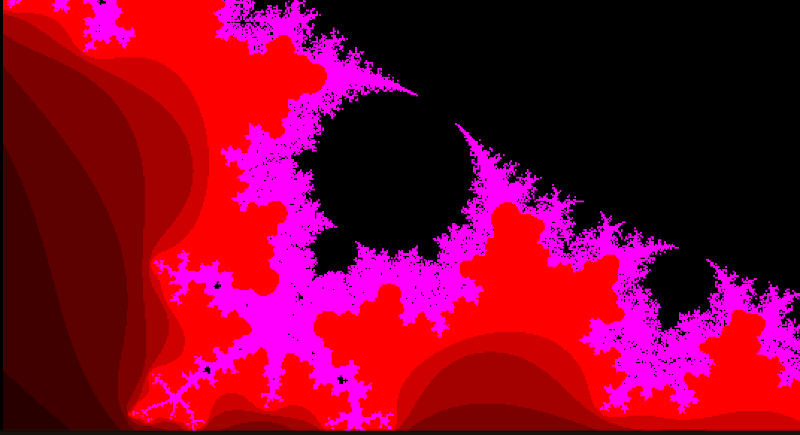
Here’s a small but growing collection of little Unity toys with more or less typical mathematical tricks implemented in a fragment shader. What’s impressive is, as often happens in maths, the simplicity of most formulas when implemented. I’ve always found coding things that have a visual output a really good way of understanding maths. I adapted these old snippets I made in Processing to ShaderLab/CG. I intentionally shared them in their most basic form to leave room to creativity.

How much I love this stuff I just can’t explain.

To use these toys in Unity, you need to:

  • Create a shader asset.
  • Create a material and assign the new shader to it (this is done automagically if you right click on the shader and create a Material from there).
  • Create a quad in your scene.
  • Assign the material to the quad.
  • Position the camera so the quad faces it (or viceversa) and fills the camera frustum.

#1: Mandelbrot Julia Set
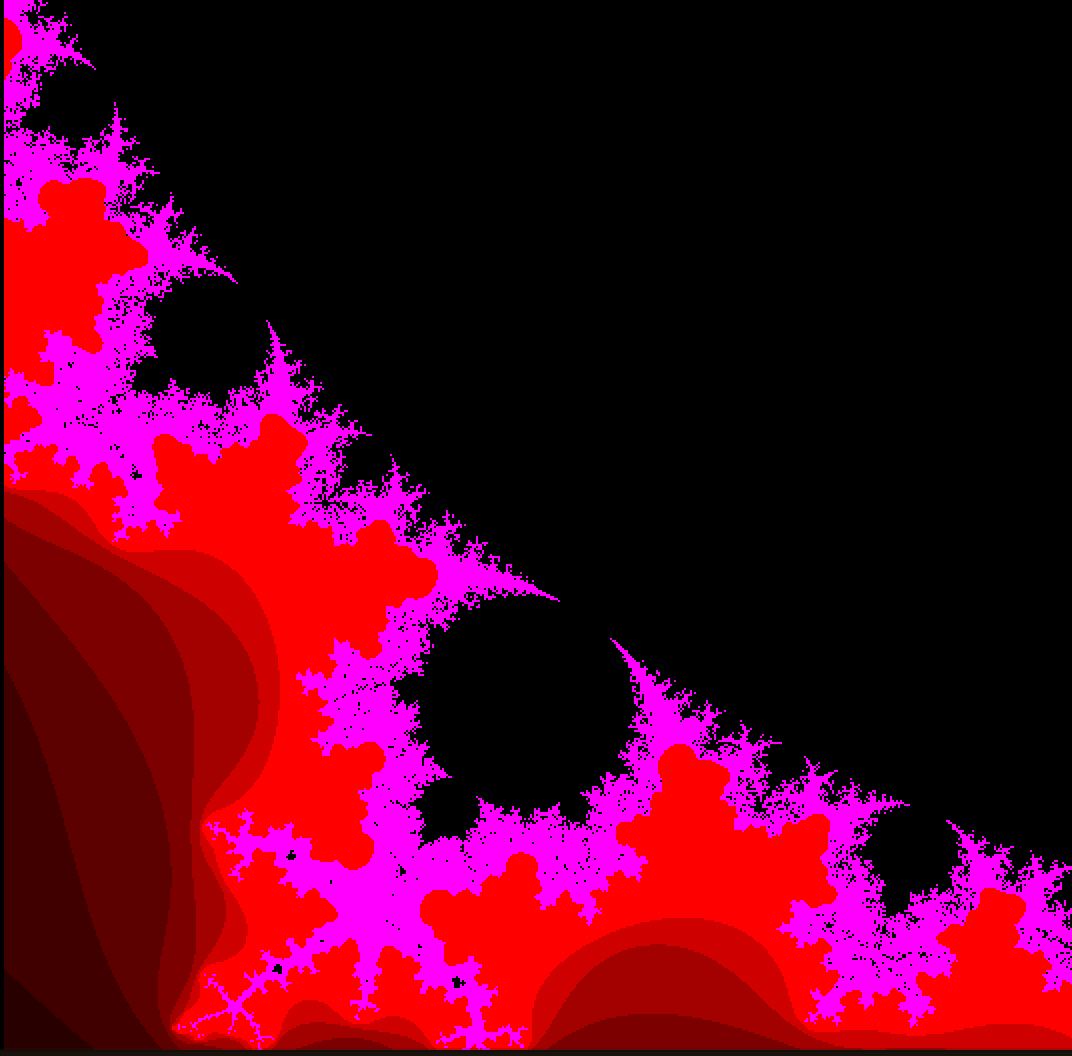
Mandelbrot Julia Unity Shader
 1
 2
 3
 4
 5
 6
 7
 8
 9
10
11
12
13
14
15
16
17
18
19
20
21
22
23
24
25
26
27
28
29
30
31
32
33
34
35
36
37
38
39
40
41
42
43
44
45
46
47
48
49
50
51
52
53
54
55
Shader "Unlit/Mandelbrot Julia"
{
	Properties
	{
		_MainTex ("Texture", 2D) = "white" {} // not used but can be used for colors
	}
	SubShader
	{
		Tags { "RenderType"="Opaque" }
		LOD 100

		Pass
		{
			CGPROGRAM
			#pragma vertex vert_img
			#pragma fragment frag
			// make fog work
			#pragma multi_compile_fog
			
			#include "UnityCG.cginc"

			sampler2D _MainTex;
			float4 _MainTex_ST;

			fixed4 frag (v2f_img i) : SV_Target
			{
				// fixed4 col = tex2D(_MainTex, i.uv);
				float2 ncuv = i.uv * 2 - 1;

				//////////////////
				// MANDELBROT Toy
				//////////////////
				float2 z = float2(0, 0);
				float2 c = ncuv * 0.2 + 0.5;
				float2 zc = z + c;
				for (int M = 0; true; M++)
				{
					float sq = zc.x*zc.x + zc.y*zc.y;
					if (sq > 4)
					{
						return fixed4(float(M*M)/100, -float(M)/200, float(M/20), 1);
					}
					else
					{
						zc = float2(zc.x*zc.x - zc.y*zc.y, 2 * zc.x*zc.y) - c;
					}
					if(M >= 100)
						return fixed4(0,0,0,1);
				}
				return fixed4(0,0,0,1);
			}
			ENDCG
		}
	}
}

#2: 3n plus 1 rule

3n plus 1 rule Unity shader
 1
 2
 3
 4
 5
 6
 7
 8
 9
10
11
12
13
14
15
16
17
18
19
20
21
22
23
24
25
26
27
28
29
30
31
32
33
34
35
36
37
38
39
40
41
42
43
44
45
46
47
48
49
50
51
52
53
54
55
56
57
58
59
60
61
62
63
64
65
66
67
Shader "Unlit/_3plus1B"
{
	Properties
	{
		//_MainTex ("Texture", 2D) = "white" {}
		_Scale ("Scale", float) = 100
		_Max ("Max iterations", int) = 180
		_Radial ("Radial", Range(0,1)) = 0
		_ConvColor ("Convergence Color", Color) = (1,1,1,1)
		_DivColor ("Divergence Color", Color) = (1,1,1,1)
		_DivCap ("Divergence Interval", float) = 10000.0
	}
	SubShader
	{
		Tags { "RenderType"="Opaque" }
		LOD 100

		Pass
		{
			CGPROGRAM

			#include "UnityCG.cginc"

			#pragma vertex vert_img
			#pragma fragment frag
			// make fog work
			#pragma multi_compile_fog

			float _Scale;
			float _Max;
			float _Radial;
			fixed4 _ConvColor;
			fixed4 _DivColor;
			float _DivCap;

			fixed4 frag (v2f_img i) : SV_Target
			{
				float2 ncuv = (i.uv - 0.5) * 2 * _Scale;

				float Res = 1;// - abs(_CosTime.z)*256;// + abs(10*_SinTime.x);
				//float T = abs(ncuv.x*Res*ncuv.y*Res);
				//float T = abs(_SinTime.y*(elevation*bearing)+rSq);
				float rSq = ncuv.x*ncuv.x+ncuv.y*ncuv.y;
				float T = (1.0 - _Radial) * abs((ncuv.x)*(ncuv.y)) + _Radial * rSq;

				for (int t = 0; t < _Max; t++)
				{
					if (floor(T) % 2 == 0)
					{
						T = T / 2;
					}
					else
					{
						T = T * 3 + 1;
					}
						if (T == 1)
					{
						return fixed4(t/_Max, t/_Max, t/_Max, 1) * _ConvColor;
					}
				}
				float v = min(T/_DivCap,1);
				return fixed4(v,v,v,1) * _DivColor;//fixed4(T, T/_Fact1*0.2, T/_Fact1*0.1, 1);
			}
			ENDCG
		}
	}
}